If you purchase through links on this page, AIToolBet may earn a commission at no extra cost to you. Our reviews are based on product research and, whenever possible, hands-on testing.
 AI Assistant
ChatGPT Review (2026)
A leading AI assistant for writing, coding, research, analysis, brainstorming, and everyday productivity.
Affiliate Disclosure
Quick facts
ChatGPT at a glance
Setup Time
5 Minutes
Pricing
Free / Plus / Pro
Free Plan
Yes
Platforms
Web, Desktop, iOS, Android
Best For
Writing, Coding, Research, Business, Education
Overall Rating
4.9 / 5
Overview
What is ChatGPT?
ChatGPT is a conversational AI assistant created by OpenAI. It lets people ask questions, draft content, analyze files, generate code, summarize information, brainstorm ideas, and complete complex knowledge-work tasks through a natural chat interface. Instead of learning a rigid software workflow, users describe what they want in plain language and refine the answer through follow-up questions. That combination of accessibility and depth is why ChatGPT has become one of the most recognizable AI tools for individuals, classrooms, startups, and enterprise teams.
At its core, ChatGPT is built to understand context and produce useful responses across many formats. A marketer can ask it to turn rough notes into a campaign brief. A developer can request a function, debug an error, or compare implementation approaches. A teacher can create a lesson outline and adapt it for different grade levels. A business owner can upload a spreadsheet or policy draft and ask for trends, risks, or next steps. The experience feels less like using a traditional app and more like collaborating with a fast research, writing, and analysis partner.
People use ChatGPT because it reduces friction in everyday work. It can help with first drafts, improve clarity, explain difficult concepts, translate between languages, generate ideas, create tables, outline presentations, and analyze documents. With image understanding and voice conversations, it also supports multimodal workflows such as interpreting screenshots, reviewing visual materials, or talking through a problem hands-free. For many users, the biggest productivity gain is not replacing expert judgment; it is getting from a blank page to a useful starting point much faster.
The tool is especially popular in education, software development, marketing, sales, operations, customer support, research, and entrepreneurship. Real-world examples include drafting customer emails, building a study guide, creating a resume summary, troubleshooting code, comparing vendors, preparing interview questions, summarizing meeting notes, planning social media calendars, and pressure-testing a business idea. ChatGPT is strongest when the user provides context, reviews the output carefully, and treats the assistant as a collaborative tool rather than an unquestioned source of truth. For users who want one flexible AI platform that can handle many daily tasks, ChatGPT remains one of the best overall options in 2026.
Overall Rating
4.9/5
Starting Price
Free / Plus / Pro / Team / Enterprise
Free Trial
Check current availability
Best For
Writing drafts, Brainstorming ideas, Data and document analysis, General research support, Everyday productivity.
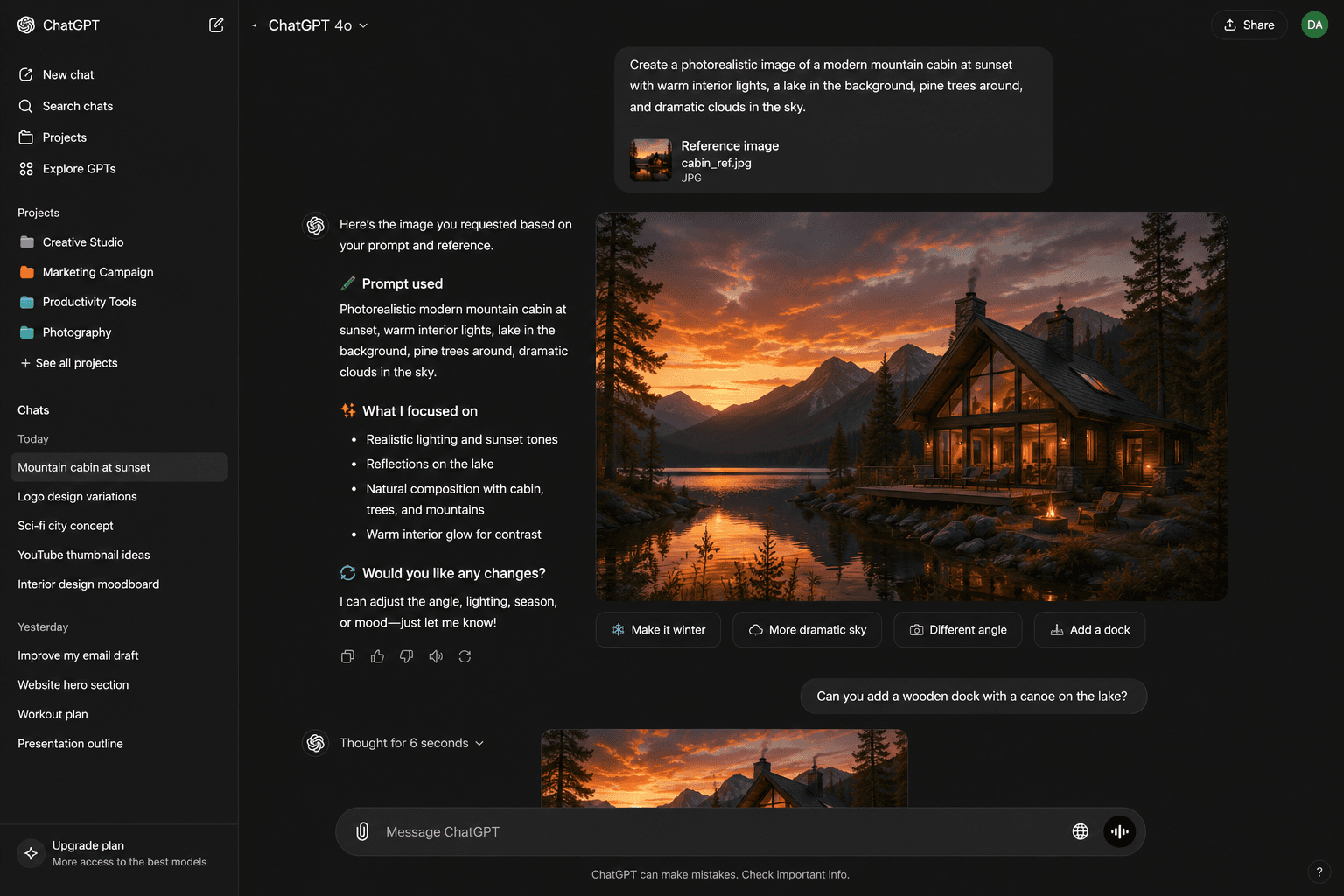
Screenshots
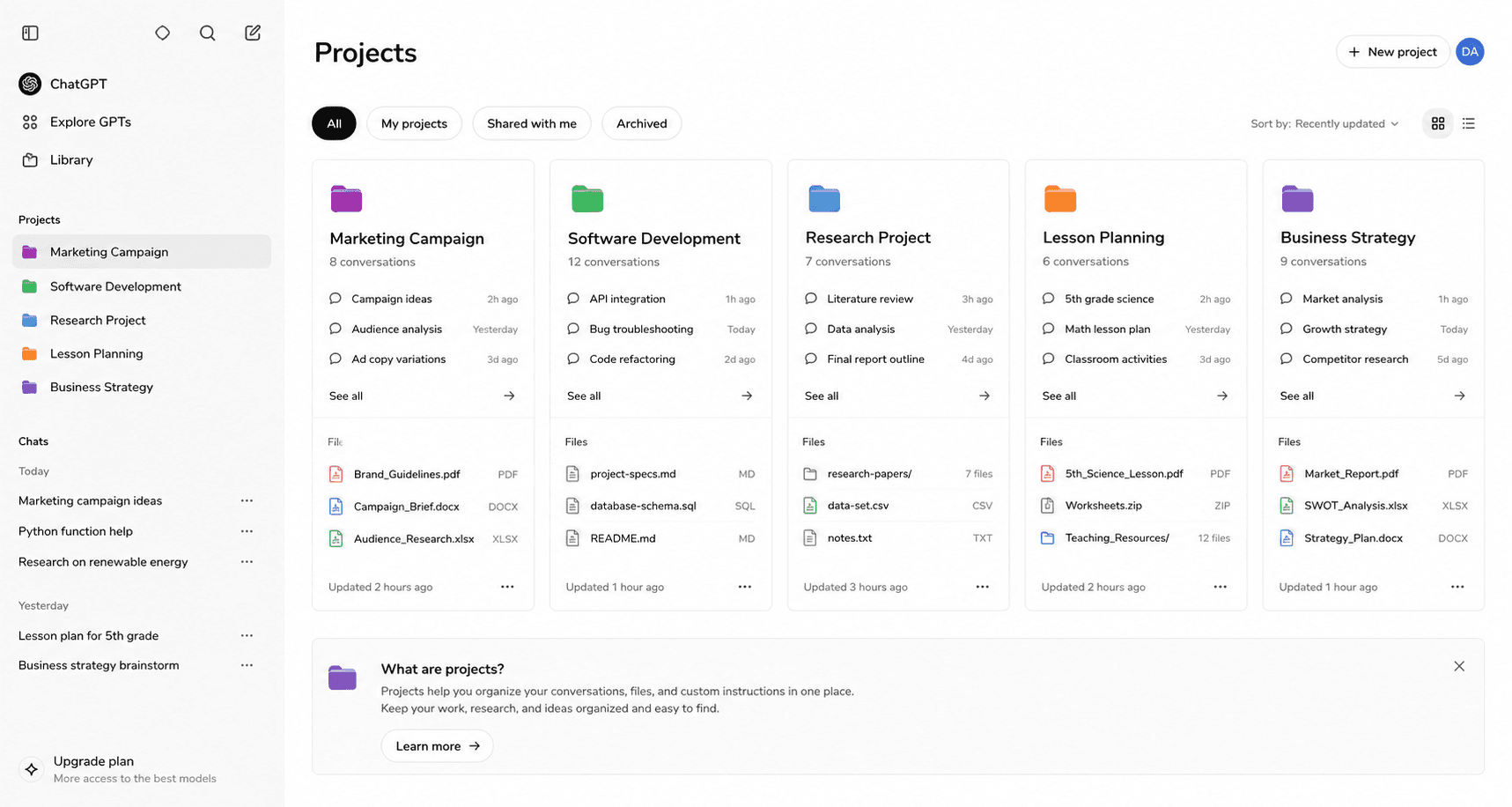
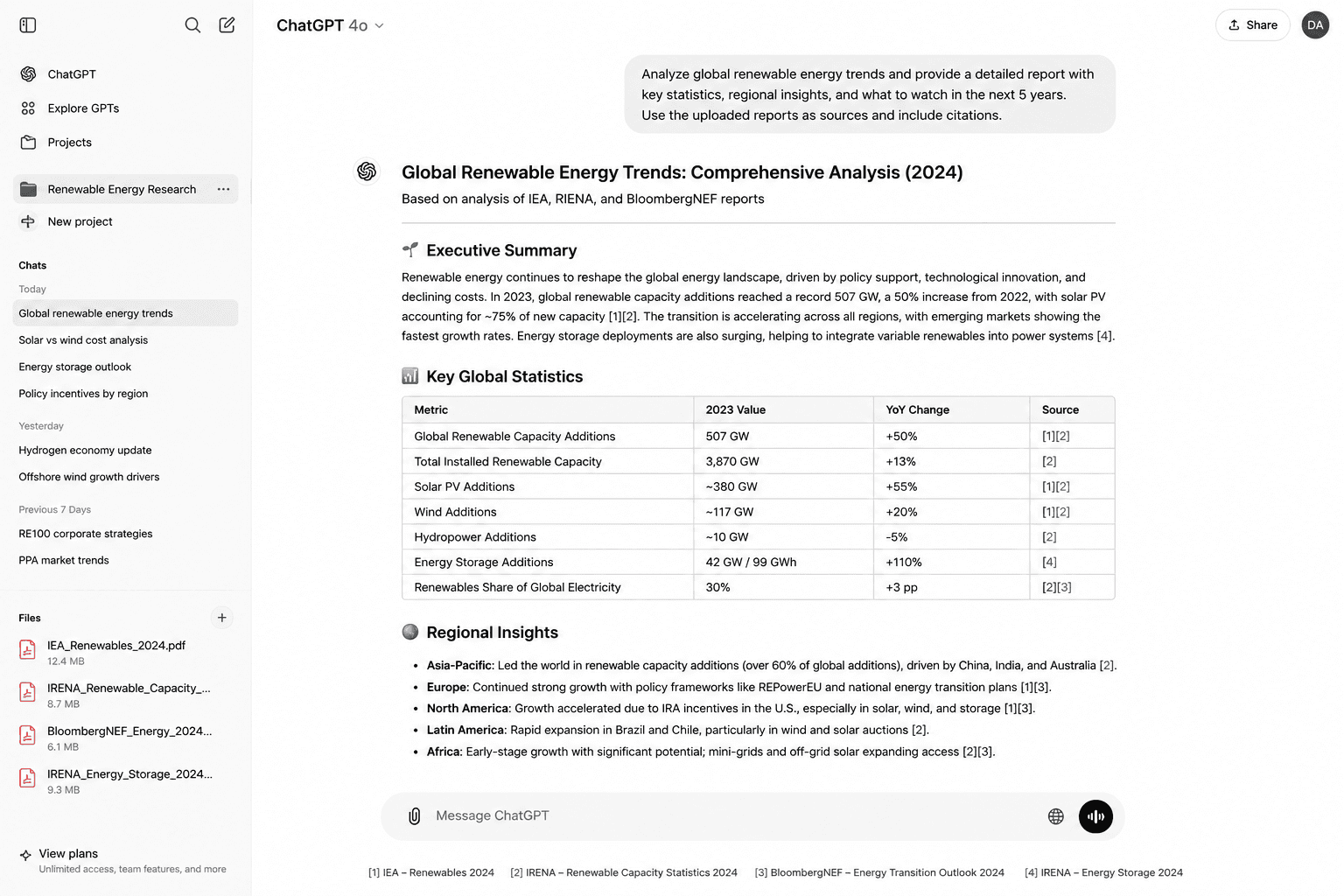
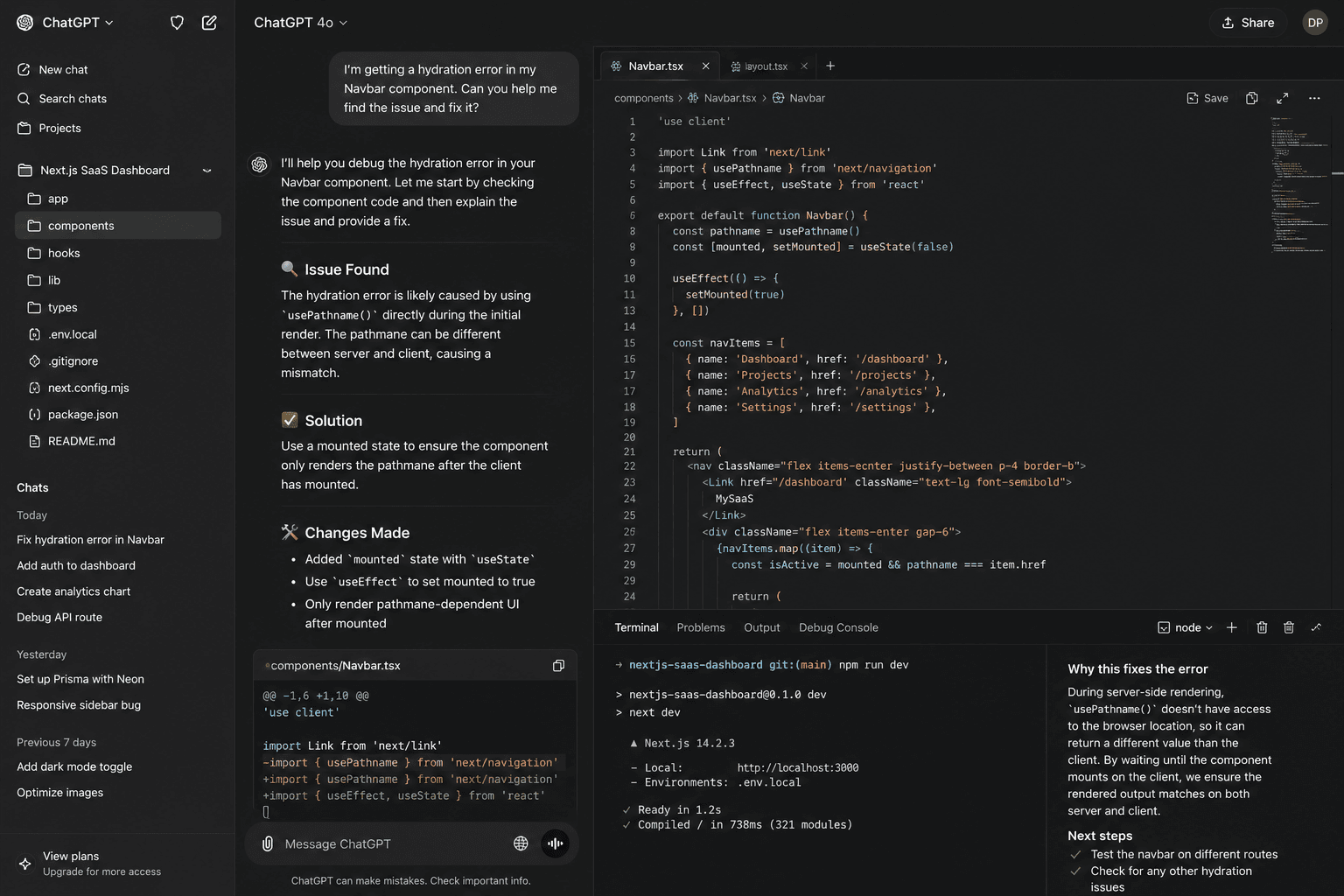
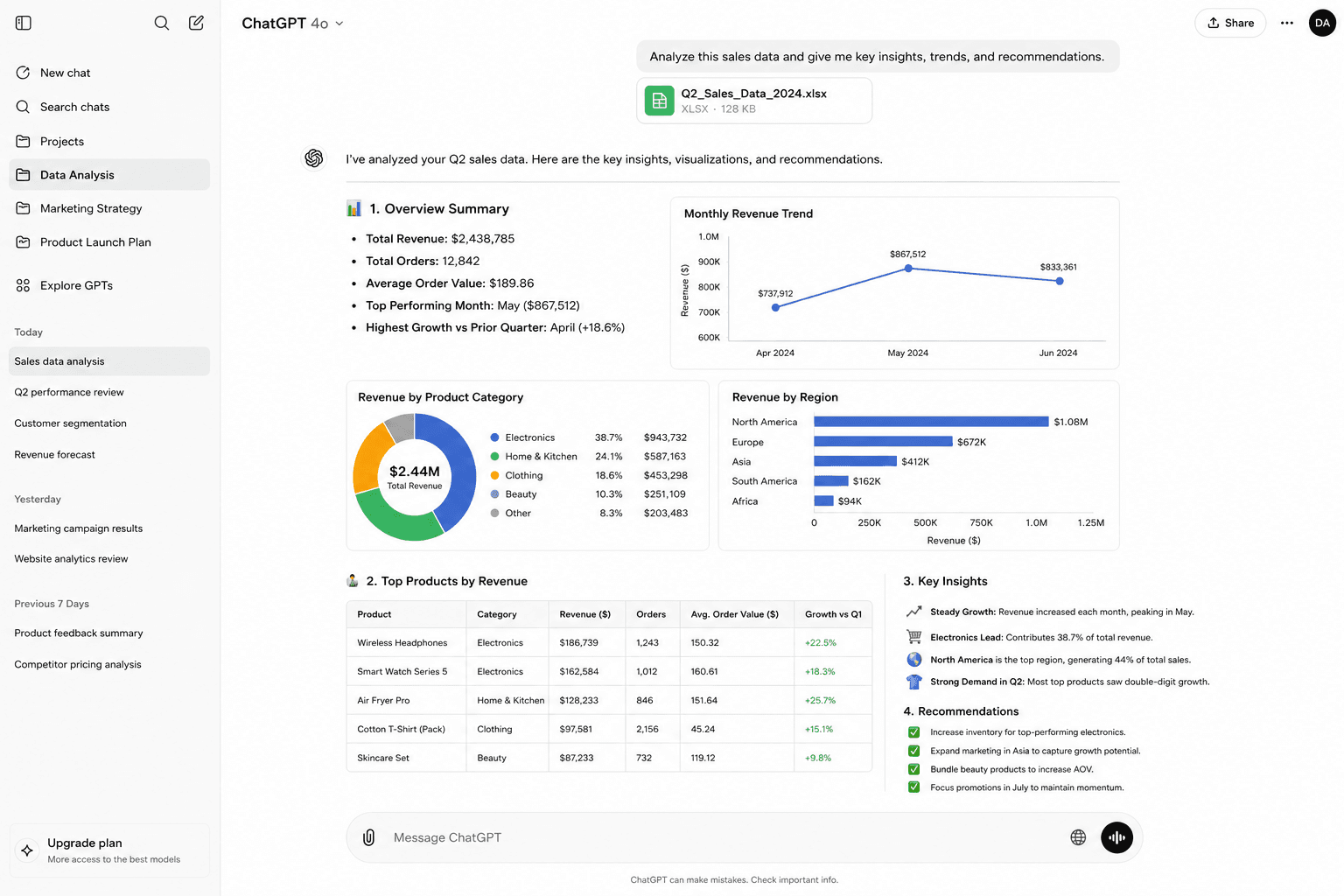
ChatGPT product gallery
Features
How the key features work in practice
Conversational Assistant
What it does
Handles multi-turn writing, planning, summarization, and ideation.
File Analysis
What it does
Works with uploaded documents, spreadsheets, and research materials.
Image Understanding
What it does
Can interpret images and assist with visual reasoning tasks.
Coding Help
What it does
Explains code, drafts functions, debugs issues, and supports technical planning.
Custom Workflows
What it does
Reusable instructions and tailored assistants can standardize repeated tasks.
Integrations and Sharing
What it does
ChatGPT supports handoffs through exports, sharing, integrations, or collaboration patterns that fit day-to-day work.
Pros & Cons
A balanced ChatGPT review
Pros
- Extremely flexible across writing, analysis, coding, and planning
- Strong reasoning and conversational follow-up
- Broad ecosystem with files, images, voice, and custom workflows
- Clear fit for Writing drafts, Brainstorming ideas, Data and document analysis, General research support, Everyday productivity
- Helpful templates, workflows, or AI assistance reduce blank-page work
Cons
- Outputs still need fact-checking for high-stakes work
- Broad toolset can require prompt discipline
- Team governance depends on plan selection
Editorial rating
ChatGPT rating breakdown
Ease of Use
4.8 / 5
Features
4.9 / 5
AI Quality
4.9 / 5
Templates
4.7 / 5
Automation
4.7 / 5
Pricing
4.7 / 5
Support
4.4 / 5
Overall
4.9 / 5
Pricing
ChatGPT pricing plans
Free
$0
Best for casual users testing AI assistance for everyday tasks.
- Core chat experience
- Limited access to advanced capabilities
- Great for basic writing and brainstorming
Plus
$20/mo
Best for individuals who use ChatGPT regularly for work or study.
- Higher usage limits
- Access to advanced models and tools
- File, image, and productivity workflows
Pro
$200/mo
Best for heavy users who need the highest limits and advanced reasoning workflows.
- Expanded access
- Advanced research and reasoning
- Power-user productivity
Team
Per user/mo
Best for small teams that want collaboration and administrative controls.
- Team workspace
- Admin controls
- Business-focused collaboration
Enterprise
Custom
Best for larger organizations with security, compliance, and deployment needs.
- Enterprise controls
- Scalable deployment
- Security and support options
Best fit
Who should use ChatGPT
Teams evaluating ChatGPT
ChatGPT is worth evaluating when Writing drafts is a priority.
Solo users comparing ChatGPT
ChatGPT is worth evaluating when Brainstorming ideas is a priority.
Operations teams standardizing ChatGPT
ChatGPT is worth evaluating when Data and document analysis is a priority.
Creators testing ChatGPT
ChatGPT is worth evaluating when General research support is a priority.
Businesses budgeting for ChatGPT
ChatGPT is worth evaluating when Everyday productivity is a priority.
Not a fit
Who should skip ChatGPT
Users who need guaranteed facts without review
ChatGPT can be extremely helpful, but it should not replace verification for legal, medical, financial, or high-stakes decisions. Perplexity or Google may be better for source-first browsing.
Teams requiring only a dedicated writing style tool
If your only need is brand-governed marketing copy, a specialized writing platform or Notion AI workflow may be a cleaner fit.
Organizations locked into another ecosystem
Microsoft-heavy teams may prefer Copilot, Google Workspace teams may prefer Gemini, and users who prioritize long-form reflective writing may also compare specialized assistant.
Use cases
Real-world ways to use ChatGPT
Evaluate whether ChatGPT fits your workflow
Scenario
Evaluate whether ChatGPT fits your workflow
Problem
The starting material is scattered, incomplete, or too time-consuming to organize manually.
How ChatGPT solves it
Evaluate whether ChatGPT fits your workflow.
Expected outcome
Expected outcome: a more structured working draft that a subject-matter expert can refine.
Compare ChatGPT against nearby alternatives
Scenario
Compare ChatGPT against nearby alternatives
Problem
The starting material is scattered, incomplete, or too time-consuming to organize manually.
How ChatGPT solves it
Compare ChatGPT against nearby alternatives.
Expected outcome
Expected outcome: a more structured working draft that a subject-matter expert can refine.
Estimate team rollout requirements for ChatGPT
Scenario
Estimate team rollout requirements for ChatGPT
Problem
The starting material is scattered, incomplete, or too time-consuming to organize manually.
How ChatGPT solves it
Estimate team rollout requirements for ChatGPT.
Expected outcome
Expected outcome: a more structured working draft that a subject-matter expert can refine.
Review ChatGPT pricing and plan tradeoffs
Scenario
Review ChatGPT pricing and plan tradeoffs
Problem
The starting material is scattered, incomplete, or too time-consuming to organize manually.
How ChatGPT solves it
Review ChatGPT pricing and plan tradeoffs.
Expected outcome
Expected outcome: a more structured working draft that a subject-matter expert can refine.
Identify situations where ChatGPT is not the best fit
Scenario
Identify situations where ChatGPT is not the best fit
Problem
The starting material is scattered, incomplete, or too time-consuming to organize manually.
How ChatGPT solves it
Identify situations where ChatGPT is not the best fit.
Expected outcome
Expected outcome: a more structured working draft that a subject-matter expert can refine.
If these workflows match work you do every week, check ChatGPT's current plans and limits before choosing a paid tier. Occasional users should start with the free option when available.
Alternatives
ChatGPT alternatives to compare

G
Gemini
Compare Gemini with ChatGPT before choosing an AI assistant.
Comparison onlyP
Perplexity
Compare Perplexity with ChatGPT before choosing an AI assistant.
Comparison onlyM
Microsoft Copilot
Compare Microsoft Copilot with ChatGPT before choosing an AI assistant.
Comparison onlyComparison
ChatGPT comparison table
| Feature | ChatGPT | Claude | Gemini | Perplexity |
|---|---|---|---|---|
| Primary strength | Conversational Assistant | Specialized alternative | Google ecosystem | Source-first research |
| Best for | Writing drafts, Brainstorming ideas, Data and document analysis, General research support, Everyday productivity | Teams comparing Claude for adjacent workflows | Teams comparing Gemini for adjacent workflows | Teams comparing Perplexity for adjacent workflows |
| Pricing model | Free / Plus / Pro / Team / Enterprise | Free, paid, or custom plans depending on usage | Free, paid, or custom plans depending on usage | Free, paid, or custom plans depending on usage |
| Setup effort | 5 Minutes | Low to moderate depending on migration and team size | Low to moderate depending on migration and team size | Low to moderate depending on migration and team size |
| When to choose it | ChatGPT is one of the best all-purpose AI assistants for users who want one flexible tool for writing, coding, research, document analysis, brainstorming, and productivity. | Choose Claude when its ecosystem, workflow, or category focus is a better match than ChatGPT. | Choose Gemini when its ecosystem, workflow, or category focus is a better match than ChatGPT. | Choose Perplexity when its ecosystem, workflow, or category focus is a better match than ChatGPT. |
FAQ
Frequently asked questions
What is ChatGPT best for?
ChatGPT is best for writing, coding, research, business, and education.
How much does ChatGPT cost?
Review the current ChatGPT pricing page because plan names, limits, and promotions can change.
Is ChatGPT good for teams?
Yes, ChatGPT can work for teams when its collaboration, governance, and pricing fit the workflow.
What are the main ChatGPT limitations?
The main limitations are reflected in the cons section and should be weighed against your use case.
How does ChatGPT compare with alternatives?
ChatGPT should be compared on pricing, core features, ease of use, integrations, support, and category-specific workflow fit.
Does ChatGPT have a free plan?
Check the official ChatGPT site for current free-plan availability and usage limits.
Who should avoid ChatGPT?
Skip ChatGPT if the not-for section describes your needs better than the best-for section.
How long does ChatGPT take to set up?
Most readers can evaluate ChatGPT quickly, but full rollout depends on team size and integrations.
Can beginners use ChatGPT?
Yes, beginners can start with the basics and expand into advanced workflows over time.
What should I check before buying ChatGPT?
Confirm pricing, required features, integrations, data policies, and support expectations before buying.
Is ChatGPT worth it in 2026?
ChatGPT is worth shortlisting when its documented strengths, pricing, and limitations match your workflow.
Where can I try ChatGPT?
Use the review button or official website to try ChatGPT directly.
Teaching workflows
🎓 Classroom & Teaching Ideas for ChatGPT
Complete Monday lesson system
Best for
Teachers who want one teachable day instead of disconnected AI worksheets.
How ChatGPT helps
ChatGPT is used for its strongest classroom job: write requirements, draft documentation, create user stories.
Teacher check
Confirm standards, accommodations, reading level, and any school privacy rules before using the materials with students.
Workflow steps
- Bell ringer: create a 5-minute warm-up tied to yesterday’s misconception.
- Mini lesson: draft direct instruction, examples, and two checks for understanding.
- Small group: create reteach, on-level, and extension tasks.
- Exit ticket: write three questions that reveal the exact skill gap.
- Homework and parent note: prepare a short practice task plus plain-language family communication.
Unit resource pack
What it creates
Vocabulary sheets, anchor charts, guided notes, quiz banks, rubrics, substitute plans, and remediation tasks around one unit.
Why it works
A full pack saves more time than one-off prompts because every activity uses the same objective, examples, and vocabulary.
Quality control
Use teacher judgment to remove weak distractors, fix cultural context, and align activities to actual classroom pacing.
Intervention loop
Scenario
After an exit ticket, several students miss the same subskill.
Workflow
Convert wrong answers into a reteach script, guided practice, independent practice, and a quick parent-friendly update.
Outcome
Teachers get a same-week support plan instead of waiting until the next unit test exposes the gap.
Internal links
🔗 Works Even Better With
Writesonic
Writesonic: Complete one confirmed product-specific job. after ChatGPT handles its own job (plan and document the work before another tool builds, publishes, or automates it.). Perform the specific product role confirmed by the review facts; do not describe it with generic drafting, planning, or workflow language.
Starter stack
⭐ Recommended Starter Stack
1.ChatGPT— Turn one messy customer problem into requirements, an outline, a checklist, a script, or a technical specification.
2.Writesonic— Use the product for the narrow job its review facts explicitly support, then verify the output before selling or publishing it.
ChatGPT plan: plan and document the work before another tool builds, publishes, or automates it. → Writesonic operate: complete one confirmed product-specific job.. This stack answers the real sequence: build first with ChatGPT (plan and document the work before another tool builds, publishes, or automates it.), refine with a tool that owns polish or code quality, publish with a hosting or commerce tool, market with lead capture, and automate only after the manual path works.
Roadmap
📈 Realistic Growth Path
- 1Turn one messy customer problem into requirements, an outline, a checklist, a script, or a technical specification.
- 2Sell or deliver the first paid version and document every revision request.
- 3Publish a landing page, portfolio example, checkout page, or client portal so the offer has a permanent home.
- 4Add email capture, onboarding, analytics, and a repeatable QA checklist.
- 5Package the best prompts and editing checklist so every client project starts from the same intake process.
- 6Hire contractors or assistants only after the process is documented well enough to delegate.
Best fit
🎯 Best Fit
Teachers
Creators
Freelancers
Small Business
Agencies
Marketing Teams
Designers
Ecommerce
Final verdict
Should you use ChatGPT in 2026?
Overall Rating
4.9
out of 5
Our recommendation
ChatGPT is a strong choice for writing drafts, brainstorming ideas, data and document analysis, general research support, everyday productivity when buyers want conversational assistant and file analysis in one workflow. It is not the perfect fit for every team, so compare pricing, governance needs, integrations, and the alternatives above before committing.
Best for: Writing drafts, Brainstorming ideas, Data and document analysis, General research support, Everyday productivity.
Compare with
Compare ChatGPT against similar tools

ChatGPT vs Writesonic
Compare pricing, features, pros, cons, and best-fit users.
Compare Now →

ChatGPT vs Grammarly
Compare pricing, features, pros, cons, and best-fit users.
Compare Now →

ChatGPT vs CopyBase AI
Compare pricing, features, pros, cons, and best-fit users.
Compare Now →

ChatGPT vs Copy.ai
Compare pricing, features, pros, cons, and best-fit users.
Compare Now →

ChatGPT vs Jasper
Compare pricing, features, pros, cons, and best-fit users.
Compare Now →
Related reviews
More ai assistant reviews to compare
Writesonic
AI writing and marketing platform for blog drafts, ads, chatbots, SEO content, and fast campaign assets
Read Review →
Grammarly
AI writing assistant for grammar, clarity, tone, rewriting, and communication quality across apps
Read Review →
CopyBase AI
AI copywriting workspace for ads, emails, landing pages, and campaign drafts
Read Review →
Copy.ai
Go-to-market AI platform for sales, marketing, prospecting, repurposing, and workflow automation
Read Review →
Jasper
AI marketing writing platform for campaign copy, brand voice, content workflows, and team collaboration
Read Review →